
joomlablogger-logo

JoomlaBlogger
  • Home
  • Tutorials
    • Joomla extension tutorials
    • Joomla core tutorials
    • Template tutorials
  • Joomla Tips
    • Joomla security tips
    • General Joomla Tips
    • Beginners tips
    • Joomla extension tips
  • News
    • Weekly Joomla news posts
    • Joomla Evangelism
    • Personal views
    • Joomla Templates
    • Interviews
    • Joomla extension news
    • General web tips
    • Joomla events
    • Joomla development
  • Videos
  • SEO
    • Joomla SEO
  • About
    • Off-topic
      • Books I like
    • Advertise
      • Disclaimer
    • Subscribe
  • About
  • Subscribe
Kristoffer Sandven

Kristoffer Sandven

Kristoffer Sandven is a photographer, filmmaker and web consultant living in Oslo, Norway. He's the founder and author of JoomlaBlogger.

Website URL: http://www.joomlablogger.net/about Email: This email address is being protected from spambots. You need JavaScript enabled to view it.
Tuesday, 14 June 2011 11:00

How to edit Joomla and K2 content on the iPad and other mobile devices
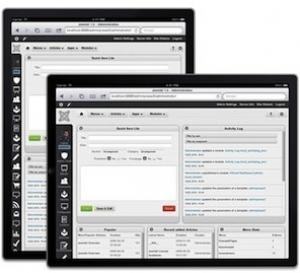
How to edit Joomla and K2 content on the iPad and other mobile devices

Editing your web site on the go was perhaps not a big issue a year ago. Today, the picture is much different. With iPhones, and particularly iPads and similar tablets, the ability to edit Joomla web sites anywhere is something more and more users are looking for.

However, the current Joomla interface and core extensions do not make this an easy task. To streamline the experience, you need to install some third-party extensions and templates.

This post is based on an email I got from a JoomlaBlogger reader called Lynne from Prescott, Arizona, U.S.

Published in Joomla extension tutorials
Tagged under
Friday, 03 June 2011 07:36

How to add a Google +1 button to your Joomla site
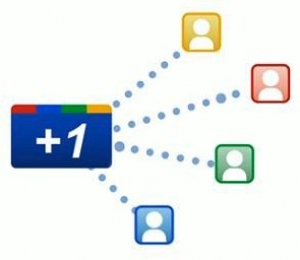
How to add a Google +1 button to your Joomla site

Google recently launched their +1 button. This button allows Google users to "+1", or recommend, a site or web page.

The recommendation from your friends will show up in your Google search results and your Google profile.

In this tutorial, I will show you how to implement a Google +1 Joomla button on your web site (and explain why you should).

I've already added the +1 button to this site, so make sure you use it ;)

Published in Joomla extension tutorials
Tagged under
  • Google +1
Thursday, 27 January 2011 02:46

How to upgrade from Joomla 1.5 to 1.6 [VIDEO]

One of the hot topics after the release of Joomla 1.6 was how to upgrade from version 1.5. The only viable solution at the moment is using the jUpgrade component by Matias Aguirre.

Below, I've embedded the video made by people in the Joomla project to show how to upgrade your site to 1.6.

Published in Joomla extension tutorials
Tagged under
  • Video
  • Joomla 1.6
  • Migration
Tuesday, 08 December 2009 08:00

Joomla tutorial: How to send automatic email updates with Aweber and Joomla

Aweber and Joomla works togetherThis tutorial will show you how to send blog or web site updates to your email subscribers, using Aweber.com.

I will show you how to set up Aweber.com to work with Joomla. This will also work with content from K2 and other components that show an RSS feed.

Aweber.com is the online email list service that I use. The procedure I describe may also be applied to other mailing list services like MailChimp etc.

Published in Joomla extension tutorials
Tagged under
  • Aweber
  • RSS
  • Feedburner
  • Email
  • MailChimp
Tuesday, 13 October 2009 17:44

Joomla tutorial: Create SEF URLs with ChronoForms and sh404SEF

ChronoForms and sh404SEFI know many of you out there struggle with this one. When using the SEF extension sh404SEF, it's quite easy to set up search engine friendly URLs. For the core joomla components and supported third-party extensions, that is.

If your extension does not have a plug-in for sh404SEF, you're basically stuck. Unless you apply some sort of work-around. In this case, I will show you how to create SEF URLs that show forms created by ChronoForms. It's easier than you would think.

Published in Joomla extension tutorials
Tagged under
  • sh404sef
  • chronoforms
  • sef
  • seo
Thursday, 17 September 2009 19:04

Joomla tutorial: Insert videos with the JCE Media Manager

When I recently wrote a post about the Joomla 1.6 ACL use case presentation written by Amy Stephen, I had a slight problem. When using JCE I couldn't insert the video using the JCE Media Manager.

I had to get the post out, so I did a work-around and published the post. A few days ago I got an email from Bryan Z., telling me he had the same problem. So I decided to find out how to solve it. An entry into the JCE forums - and a few hours later it was solved :)

Published in Joomla extension tutorials
Tagged under
  • jce
  • jce media manager
  • video
  • flash
  • embedding
Tuesday, 15 September 2009 19:38

Joomla tutorial: How to use Google AdSense with Joomla
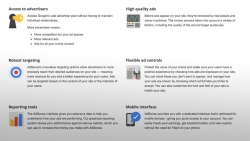
Joomla tutorial: How to use Google AdSense with Joomla

Sometimes, you might like to use Google AdSense advertising on your Joomla site. The most obvious way of doing this is to take the HTML/Javascript code provided by AdSense and paste it into the Custom HTML module. However, this is not as flexible as I would like it. Also, if you want to change the appearance of the ad, you will have to create a new code in the AdSense account and do the pasting process all over again.

So, let's find an easier way to work with Joomla and Google Adsense.

Published in Joomla extension tutorials
Tagged under
  • adsense
  • google
  • google adsense
Friday, 14 August 2009 00:00

Joomla tutorial: Configure the ScribeFire blog editor for Joomla publishing

scribefire-screenshotIn this tutorial I'll show you how to set up the blog editor in the ScribeFire blog editor for use with Joomla. This way, you have an even easier way of publishing articles to your Joomla! blog.

Published in Joomla extension tutorials
Tagged under
  • scribefire
  • Blog editor
  • Blogging software
  • Blogging
Thursday, 18 June 2009 16:36

Joomla tutorial: Configure the Flock blog editor for Joomla publishing

In this tutorial I'll show you how to set up the blog editor in the Flock browser for use with Joomla. This way, you have an even easier way of publishing articles to your Joomla! blog.

Published in Joomla extension tutorials
Tagged under
  • Flock
  • Blog editor
  • Blogging software
  • Blogging
Sunday, 14 June 2009 00:00

Joomla tutorial: How to set up Joomla for blog editors like Flock, ScribeFire

If you're a blogger using Joomla, one of the main things you should be concerned about is reducing your time spent on each post. At least the time it takes to publish small bits of information with your own thoughts mixed in.

For this purpose, a blog editor like ScribeFire, which installs as an extension to Firefox, or the built-in blog editor of the Flock browser, may be of great help. However, to get it up and running with Joomla you need to install a few things and do some configuration changes. I'll show you exactly how.

Published in Joomla extension tutorials
Tagged under
  • blog editors
  • scribefire
  • flock
  • metaweblog api
  • rsd
  • real simple discovery
  • Start
  • Prev
  • 54
  • 55
  • 56
  • 57
  • 58
  • 59
  • 60
  • 61
  • 62
  • 63
  • Next
  • End
Page 59 of 68

Most popular posts

  • Six steps to get your Joomla site indexed in Google

    Six steps to get your Joomla site indexed in Google OK, so you have a brand new site going on - and it's all made in Joomla. But how to get traffic from the search engines? There are several things you can do to ensure that Google and other search…
    in Joomla SEO Read more...
  • How to add a PDF file to a Joomla article

    A common task many web site owners do regularly, is to add PDF files or other documents to their articles. In this post, you will learn how to add a link to a PDF or any other document file to a…
    in Joomla core tutorials Read more...
  • Joomla CSS for beginners

    Joomla CSS for beginners I regularly scan the unanswered questions in the Joomla forums. Many times, the questions posted have to do with how the output of Joomla is presented. This may have to do with the template, but oftentimes it has to do…
    in Joomla beginners tips Read more...
  • Subscribe to the JoomlaBlogger newsletter

    To keep track of what's going on here at JoomlaBlogger, the best way is to subscribe to my mailing list. As a subscriber, you will get: A weekly summary of blog posts - tips, tutorials and newsfrom the last seven…
    in About Read more...
  • About JoomlaBlogger

    Welcome to JoomlaBlogger, a blog about the content management system Joomla! and all things related to running a successful website based on this CMS. My name is Kristoffer Sandven and I work as a professional Search Engine Optimizer (SEO) and…
    in About Read more...
  • Oops: Page not Found

    Are you lost? Sorry, but the content you requested could not be found. Did you write the correct address? You have a few options now - don't despair: - Use the top menu to navigate my articles- Visit the sitemap…
    in Uncategorised Read more...
  • 9 awesome free Joomla templates for Joomla 1.5

    9 awesome free Joomla templates for Joomla 1.5 Finding a great template for your Joomla site can be a challenge. There are tons of free Joomla templates out there, but to be honest: Most of them are junk. Finding quality free Joomla templates is important to ensure you…
    in Templates Read more...
  • Winner of 'Joomla Greatest Challenge Contest' Chosen

    A while ago, I announced my 'Joomla Greatest Challenge' Contest. The contest involved writing about what you think is the greatest challenge in using Joomla. The winner has been now been chosen.
    in Joomla evangelism Read more...
  • 'Joomla Greatest Challenge' Contest

    I'm happy and excited to announce my very first contest here at Joomlablogger.net. If you have a Joomla website you can take part in the contest. Jump in and participate! It's easy to enter and the price is very useful…
    in Joomla news Read more...
  • Tutorial: How to add module positions to a Joomla template - part 1

    Tutorial: How to add module positions to a Joomla template - part 1 Last week, I did a post on how to add Javascript snippets to Joomla. The way I did this was by adding module positions to the template. In this post, I will delve deeper into how to add module positions…
    in Joomla template tutorials Read more...

Recent comments

  • Sitemap
  • Log in
  • Joomla CMS
  • Subscribe
  • Log in

The Joomla!® name is used under a limited license from Open Source Matters in the United States and other countries.
joomlablogger.net is not affiliated with or endorsed by the Joomla!® Project or Open Source Matters.
The Joomla!® logo is used under a limited license granted by Open Source Matters the trademark holder in the United States and other countries.

All content is copyright © 2009-2013 JoomlaBlogger.net - owned by iSee Communications as, Norway

© 2008 - 2025 Joomlablogger.net / iSee Communications as, Oslo, Norway.

Joomlablogger.net is not affiliated with or endorsed by The Joomla! Project™. Use of the Joomla!® name, symbol, logo and related trademarks is permitted under a limited license granted by Open Source Matters, Inc.

     
  • Home
  • Tutorials
    • Joomla extension tutorials
    • Joomla core tutorials
    • Template tutorials
  • Joomla Tips
    • Joomla security tips
    • General Joomla Tips
    • Beginners tips
    • Joomla extension tips
  • News
    • Weekly Joomla news posts
    • Joomla Evangelism
    • Personal views
    • Joomla Templates
    • Interviews
    • Joomla extension news
    • General web tips
    • Joomla events
    • Joomla development
  • Videos
  • SEO
    • Joomla SEO
  • About
    • Off-topic
      • Books I like
    • Advertise
      • Disclaimer
    • Subscribe